

Industry solution
CRM for Schools, Training Centers and Education Providers
Track conversations with prospective students and parents, call-backs and post-enrollment installments.
WimCust for courses, tutoring centers and education providers: prospect and parent cards, conversation tracking, call-back reminders, quotes and installment payment plans.
Sound familiar?
If you face these problems, you are in the right place
- Parents who called during enrollment season are not called back.
- Prospect details stay on paper forms.
- Installment reminders are done by hand.
- It is unknown which source's prospects enrolled.
With WimCust
How we solve it
Prospect and parent card
Family members as contacts, with status and source.
Call-back reminder
The day's calls in the calendar.
Tuition quote
Itemized quote, online approval.
Installment plan
Installments coming due and overdue.
Source report
Which channel's prospects converted.
For courses, language schools and private education providers, enrollment season means heavy conversation traffic: parents calling, prospects dropping in for information, people saying "we'll think about it and get back to you". As an education CRM, WimCust helps you follow these prospects without losing them. It is not a student information system or attendance or grading software; it organizes the pre-enrollment relationship and tuition collection.
Prospect and parent cards
Each prospect or family is an account card. You add the parents and the student as contacts and mark one as primary. With the status field of the card you follow the prospect's stage (prospect, spoken to, enrolled and so on) in your own way; the source information shows up in reports as source performance.
Conversations and call-backs
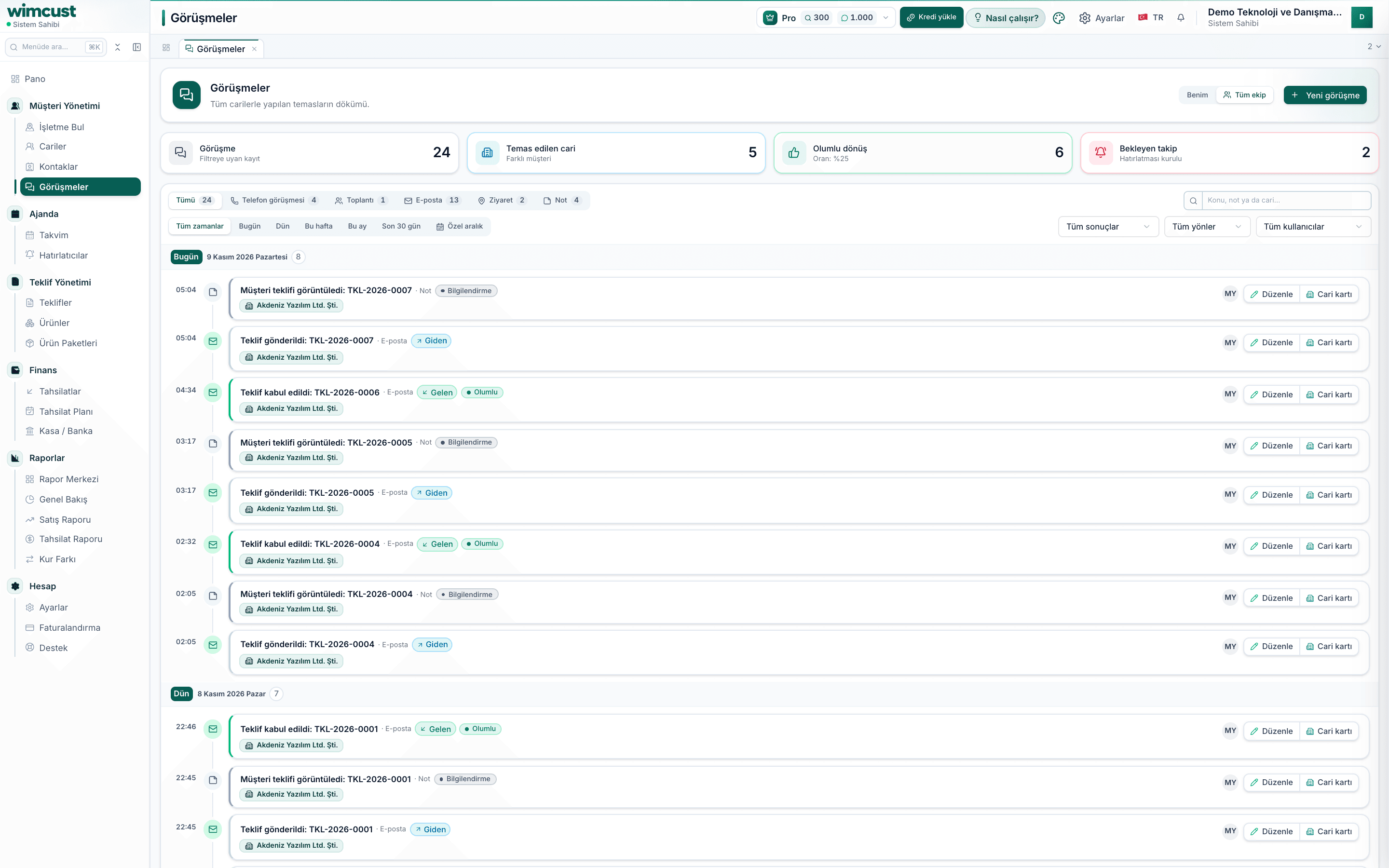
A conversation with a parent who asked for information by phone, a visit to the school or a trial lesson is logged as a conversation. For the family that says "call again at the weekend", you add a follow-up reminder; the task lands in the calendar and is notified on time. Your advisor sees the day's call-backs in the calendar and completes or postpones the task. The last contact is calculated automatically; prospects not called for a long time appear on the dashboard as cooling.
Tuition quote
You define program fees in the product catalog and prepare an itemized quote for the family: program, materials, discount. The quote is sent with an e-Quote link by WhatsApp or email; the parent can open the link and approve. The trail of the moment of approval is stored.
Installment collection
You set the tuition installments in the collection plan on the quote. An approved quote turns into installments; installments about to fall due or overdue appear on the Collection Plan screen. With customer automation a payment reminder can be sent to the parent; channels are off by default, you turn them on.
Advisor team
Prospect portfolios are distributed to enrollment advisors; each advisor sees their own prospects, the manager sees all of them. On the report screen you follow conversion by source and by advisor.
Corporate training sales
If you sell training to companies, you keep the company as the account and the HR lead as a contact. In a corporate training quote, quantity by number of participants, tax and discount are calculated; the quote can also be sent as a PDF. The Sales report shows quotes issued and won in the period, revenue won and the best-selling programs. With the mobile app, advisors carry their calendars and prospect cards with them.
Suggested routine for enrollment season
- Open an account card right away for every family that asks for information.
- At the end of the conversation, add the call-back date as a reminder.
- Let advisors start the day with the list in the calendar.
- Send the tuition quote with an e-Quote link to the family that enrolls.
- Follow the installments from the collection plan.
This way no prospect gets lost in the busy season, and post-enrollment collection is tracked in the same place.
WimCust is not a vertical software built for one industry; you use the general CRM features adapted to your work. You define account types, industries, the product catalog, quote terms and roles in your own way. The Starter plan is free with no time limit; you can try it with your own data and decide. Importing your existing client list with Excel, inviting your team and logging the first conversations need no separate setup or technical support; the app is used from the browser and the iOS/Android mobile app. As your needs grow, you can move to the Pro or Premium plan.
Features used in this solution
Interaction Tracking: Every Call, Visit and Meeting on Record
Log calls, meetings, emails and visits on the account; contact history, last contact date and cold-customer alerts build up automatically.
See detailsCalendar and Reminders: Never Forget a Customer Follow-Up
Plan customer follow-ups in the calendar, complete or postpone them. Reminders arrive as panel notifications, email and WhatsApp.
See detailsPayment Collection Tracking: Instalment Plans, Cash, Bank and Account Statements
From quote approval to collection: instalment plans, late-payment interest, cash and bank accounts, account statements, foreign-currency payments and exchange difference tracking.
See detailsAutomation: The Right Message to the Right Person When an Event Happens
With admin and customer automation, send email and WhatsApp notifications on quote and payment events using ready-made system texts.
See detailsReports and Report Center: Measure Sales, Collections and Your Team
Sales funnel, conversion, rep scorecard, collection ageing and exchange difference reports; detailed breakdowns and Excel from the Report Center.
See detailsFrequently asked questions
Does it do attendance or grade tracking?
No, WimCust is not a student information system; it manages prospects, conversations, quotes and collection.
Can I send a payment reminder to a parent?
Yes, when you turn on the relevant event and channel in customer automation, by email or WhatsApp.
Will several advisors call the same prospect?
Each prospect is assigned to one advisor; the sales rep role sees only their own portfolio.
Other solutions
CRM for Medical Device and Healthcare Suppliers
WimCust for medical product and service companies: clinic and hospital account cards, field visit tracking, foreign-currency price quotes, withholding and payment plans.
See detailsCRM for Software Companies and SaaS Sales
WimCust for software companies: target-industry scanning, demo meeting tracking, foreign-currency license quotes, e-Quote approval and installment collection.
See detailsCRM for Digital and Marketing Agencies
WimCust for digital, advertising and software agencies: find businesses without a website, quote with service packages, e-Quote approval and installment collection.
See detailsSign up and find your first 60 prospects for free
Start today and find your first customer this week
The Starter plan is free forever. Open your account without a credit card and create your first customer card in minutes.