

Industry solution
CRM for Real Estate Agencies
Track your buyer and seller clients, conversations and field visits in one place.
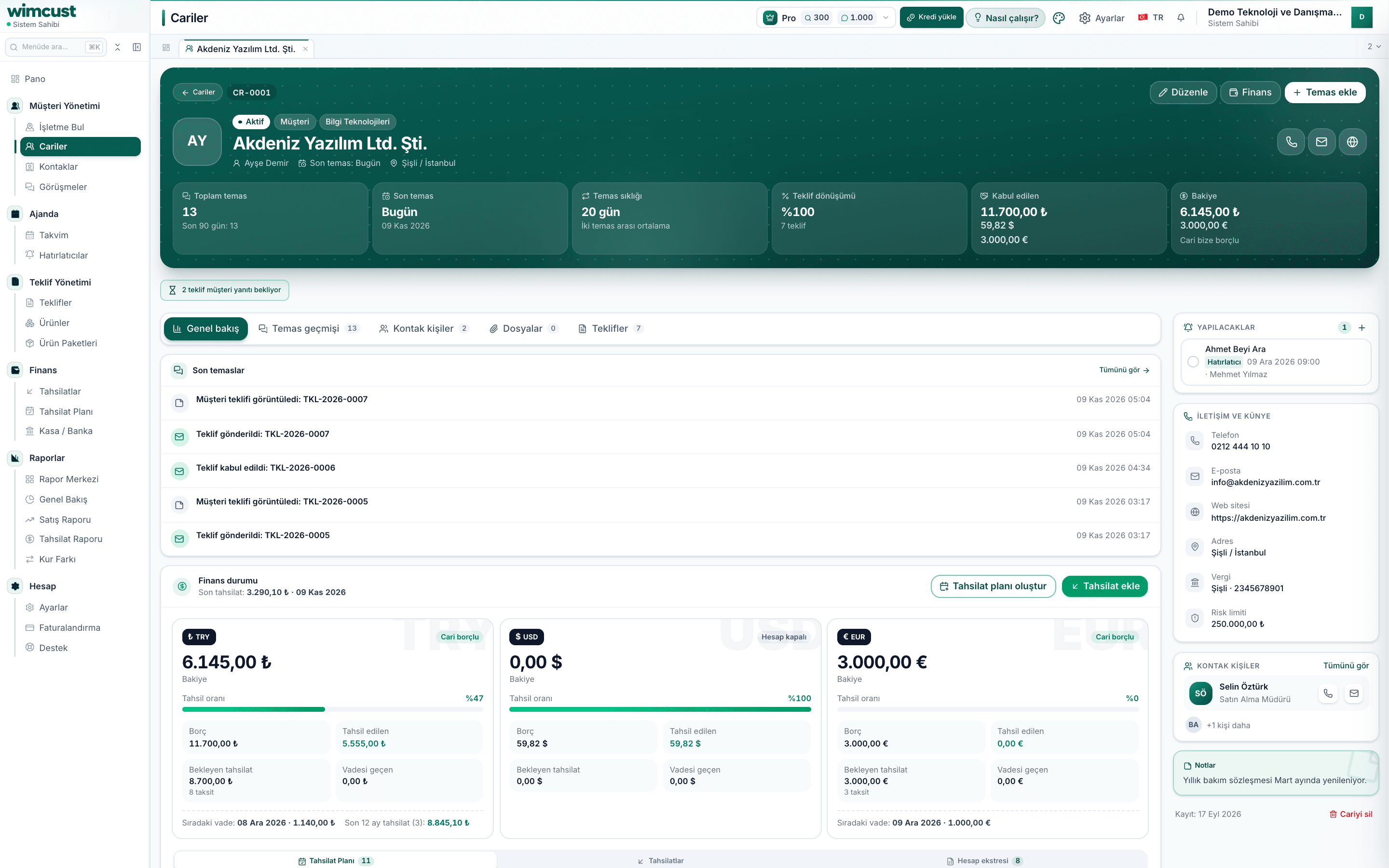
WimCust for real estate agencies: buyer and seller account cards, conversation and visit tracking, reminders, clients on a map, WhatsApp and agent portfolios.
Sound familiar?
If you face these problems, you are in the right place
- A buyer's budget and preferences live only in the agent's memory.
- The follow-up call after a viewing is forgotten.
- When an agent leaves, the client list goes with them.
- Reaching client details in the field is hard.
With WimCust
How we solve it
Buyer/seller cards
Organized client records with type, status and contacts.
Viewings and conversations
Every contact is logged on the card, last contact is automatic.
Follow-up reminders
The next step in the calendar and in notifications.
Mobile map
Accounts with locations on the map, calling and directions on the spot.
Agent portfolio
Each agent sees their own clients.
In a real estate agency, the work revolves around relationships with people and follow-up at the right time. The first meeting with a seller, a buyer's budget, a promise made after a viewing... When these stay in notebooks and on phones, opportunities slip away. As a real estate CRM, WimCust helps you keep your clients and every contact with them in one place.
Separate buyers and sellers
Each client is an account card. On the card you can use the type, status and industry fields in your own way: buyer, seller, tenant, landlord and so on. If you work with a family or a company, several contacts are added under the card; one is marked as primary. Phone, email and address details can hold multiple values. Note: WimCust is not a listing portal or a property listing management software; it does not offer integration with listing sites. Its strength is client and communication tracking.
Every viewing is a conversation record
A phone call, a meeting at the office, an on-site viewing or a short note: all are logged on the card as conversations. When you add a follow-up reminder to a conversation, the task lands in your calendar and you get a notification when the time comes. The last contact date is calculated automatically; clients you have not called for a long time appear on the dashboard as cooling. This way, "the family who viewed a flat a month ago" is not forgotten.
Clients on a map
The home screen of the mobile app is a map: accounts with location details appear on it. In the field you see nearby clients, call them from the card with one tap, write on WhatsApp or get directions. As soon as the visit ends, you enter the contact record and a reminder for the next step from your phone.
Agent portfolios
If several agents work in your office, each client is assigned to an agent. An agent in the sales rep role sees only their own clients; the office manager sees all of them and transfers portfolios when needed. When an agent leaves, their clients and conversation history stay with the office.
Communicating on WhatsApp
Once you connect your office's WhatsApp number, reminder and automation messages go out from this number; every outgoing message stays recorded in Notification History. If you need to give a quote for a service fee or consulting, you can send an e-Quote link with the quote module.
Measure your sources
Source information is kept on every client card: yard sign, referral, internet or another channel. The Overview report shows which sources convert more clients. The breakdown by agent is open only to the office manager. You decide which channel deserves your effort based on data.
A sample day
- In the morning, see the day's callbacks and viewings in the calendar.
- On the way to a viewing, look at other nearby clients on the mobile map.
- As soon as the viewing ends, enter a contact record from your phone and add a reminder for the next step.
- In the evening, check cooling clients on the dashboard and send a short message on WhatsApp.
This routine keeps every conversation on record and makes sure no client is forgotten.
WimCust is not a vertical software built for one industry; you use the general CRM features adapted to your work. You define account types, industries, the product catalog, quote terms and roles in your own way. The Starter plan is free with no time limit; you can try it with your own data and decide. Importing your existing client list with Excel, inviting your team and logging the first conversations need no separate setup or technical support; the app is used from the browser and the iOS/Android mobile app. As your needs grow, you can move to the Pro or Premium plan.
Features used in this solution
Customer Account Tracking: Account Card, Contacts and Portfolio in One Place
Manage customer and supplier accounts, contacts, documents and rep portfolios on one screen with WimCust account tracking.
See detailsInteraction Tracking: Every Call, Visit and Meeting on Record
Log calls, meetings, emails and visits on the account; contact history, last contact date and cold-customer alerts build up automatically.
See detailsCalendar and Reminders: Never Forget a Customer Follow-Up
Plan customer follow-ups in the calendar, complete or postpone them. Reminders arrive as panel notifications, email and WhatsApp.
See detailsWimCust Mobile: Your CRM in the Field, in Your Pocket
With the WimCust mobile app, see your customers on the map, log contacts, manage your calendar, send quotes and find businesses in the field.
See detailsTeam and Permission Management: Roles, Permissions and Rep Portfolios
Set your team's permissions for web and mobile separately with ready-made system roles or your own roles; reps see only their own portfolio.
See detailsFrequently asked questions
Does WimCust connect to listing sites?
No. WimCust tracks clients and communication; it does not offer listing portal integration.
Can I see clients on a map?
Accounts with location details appear on the mobile app's map.
Can each agent see only their own clients?
Yes, the sales rep role works with portfolio scope.
Other solutions
CRM for Medical Device and Healthcare Suppliers
WimCust for medical product and service companies: clinic and hospital account cards, field visit tracking, foreign-currency price quotes, withholding and payment plans.
See detailsCRM for Software Companies and SaaS Sales
WimCust for software companies: target-industry scanning, demo meeting tracking, foreign-currency license quotes, e-Quote approval and installment collection.
See detailsCRM for Digital and Marketing Agencies
WimCust for digital, advertising and software agencies: find businesses without a website, quote with service packages, e-Quote approval and installment collection.
See detailsSign up and find your first 60 prospects for free
Start today and find your first customer this week
The Starter plan is free forever. Open your account without a credit card and create your first customer card in minutes.