

How to Build a Prospect List from Online Maps
Steps for building a prospect list from map business listings: defining your target, choosing area and industry, filtering, prioritizing and contacting responsibly.
WimCust Team 6 min read
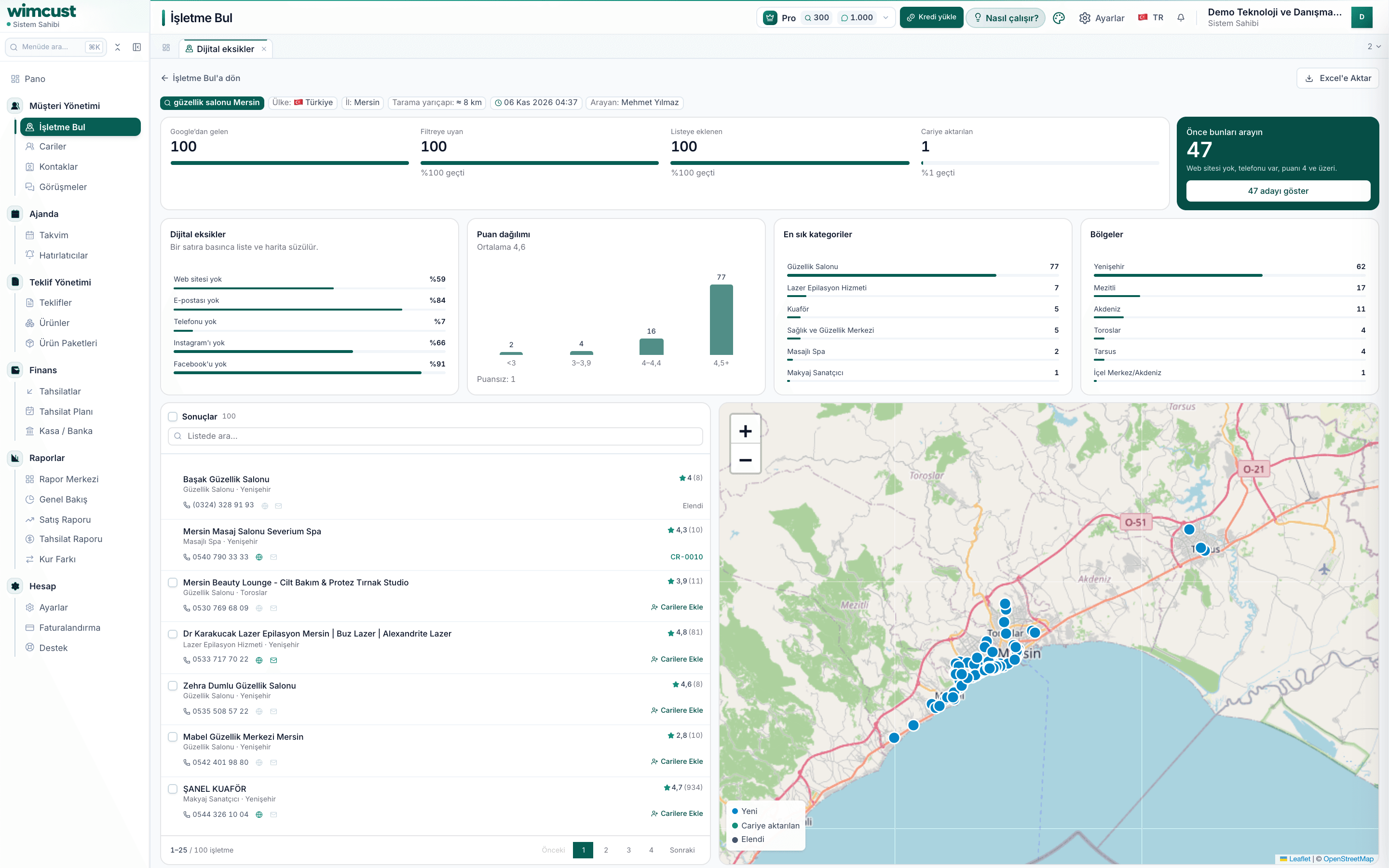
For a company that sells to local businesses, the map is the most natural place to build a prospect list. A restaurant supplier can already see the restaurants in the area, a software reseller the accounting firms, a cleaning company the office buildings. But building a prospect list from Google Maps is not just copying business names; you need to choose the right area, filter the list, prioritize it and make contact responsibly. In this article we walk through the process step by step.
Note: "Google" and "Google Maps" are trademarks of Google LLC. How you access data on maps matters; it is your responsibility to check that the tool or method you use complies with the platform's terms of use and with applicable law.
1. Define your target customer
Everything is on the map; the problem is finding what you are looking for. Start by answering these questions:
- Which industries? The direct target (for example "dental clinic") and neighboring industries ("oral health center", "orthodontics").
- Which area? The area your team can visit or serve.
- Which characteristics? Newly opened or established? Many reviews? Does it have a website?
The same business may be listed under different category names on the map. That is why searching with several synonymous terms instead of a single word gives a broader list.
2. Split the area sensibly
Instead of searching a whole large city at once, it is more efficient to search district by district or within a radius around a set center. The results are more relevant, and the field team's route can be planned. If you sell across several cities, run a separate search for each and keep the results under separate headings; that way you can see next month which area produced more customers.
3. What information should you collect?
The fields that are valuable from a sales point of view are usually:
- Business name, address and location,
- Phone number,
- Website (if any), email and social media accounts,
- Rating and number of reviews,
- Category and opening hours.
An empty field does not always mean the business does not have that information; it only means it is not on the listing. For example, a business with no visible website may have a social media account.
4. Filter the list
The raw list is usually very long. Filtering criteria depend on your product:
- If you sell web design or digital marketing: businesses with no website but a high number of reviews.
- If you sell equipment or consumables: businesses that have passed a certain number of reviews and are evidently busy.
- If you sell service contracts: quality-focused businesses with a rating above a certain value.
Rating and review count are not a definitive indicator, but they are a good starting point for prioritizing.
5. Prioritize
It is not possible to call every prospect at once. Set a simple, clear rule. For example: "prospects with a phone number, no website, a rating of 4 or higher and newly found are called first." A clear rule lets everyone on the team understand why a given prospect rose to the top. For most small businesses an understandable rule works better than a complicated scoring model.
6. Weed out duplicates
Some of the businesses on the list may already be your customers or prospects you called before. A rep who calls an existing customer to "introduce ourselves" loses trust. Matching phone numbers is a practical way to check for duplicates; it also helps you notice branches that use the same phone.
7. Make contact responsibly
A business's phone number being public does not mean you can send it unlimited commercial messages without permission. Rules on commercial electronic messages and personal data protection (for example GDPR and e-privacy rules in the EU, or equivalent local rules) impose obligations, especially around bulk and unsolicited messages. In general:
- Keep the first contact personal and short, and state clearly who you are and why you are writing.
- If the other party says they do not want to hear from you, do not write again, and record this.
- Avoid messaging the same prospect repeatedly in a short time.
These matters may require legal assessment; check the current rules and consult a legal adviser if necessary.
8. Move the list into your CRM and follow up
If the prospect list stays in a file, it quickly loses its value. Import interested prospects into the CRM as accounts, record the result of every call and date the next step. Record elimination decisions too: having another rep call a business that said "not interested" a month later wears out both sides.
Common mistakes
- Searching too broadly: searching a whole city at once brings irrelevant results.
- Calling without filtering: the team's time goes to the least likely prospects.
- Not recording results: the same business gets called several times.
- Bulk messaging: it is both ineffective and can lead to complaints about your number.
Example: a web agency's first prospect list
A small web design agency wants to target beauty salons in two neighborhoods of its city. It chooses "beauty salon", "hair salon", "skin care center" and "nail studio" as search terms. A separate search is run for each neighborhood. "No website" and "at least 20 reviews" are applied as filters, which leaves businesses that have a customer base but a weak digital presence. Priority goes to prospects with a phone number and a rating of 4 or higher.
Before calling each prospect, the agency looks at the business's reviews: what do customers praise most, what do they complain about? The opening line is built from that: "Your reviews mention that booking an appointment is hard; a simple site with an online booking page could fix that." The result of every call is recorded, a follow-up reminder a week later is set for those who are interested, and those who are not are eliminated. At the end of the month it is clear which neighborhood and which sub-industry converted into more conversations.
How often should you refresh the list?
Businesses open, close, move and change phone numbers. A list you built a year ago may be considerably out of date today. Running new searches in your target areas every few months lets you catch newly opened businesses early. A newly opened business is often the most valuable prospect because it has not yet chosen its suppliers.
This process with WimCust Business Finder
In WimCust's Business Finder, you select up to 6 industries and search by region or within a radius around a point you mark on the map. Filters such as a rating range, a minimum number of reviews and businesses without a website are applied, and results come as a list on the left and a map on the right. The "priority prospect" rule we described is built into the product, a duplicate warning is given against existing accounts, and a suitable prospect is moved into an account with one click. If you wish, you can send an introduction message from your company's own WhatsApp number; a second message to the same prospect asks for separate confirmation. WimCust is not a Google product. See the Business Finder comparison for details, or try it by opening a free account.
- #prospect list
- #map
- #business list
Frequently asked questions
Is it legal to use business information from maps?
It depends on how you access the information and how you use it. Check the platform's terms of use and the rules on commercial messaging and personal data (such as GDPR where it applies); consult a legal adviser if you are unsure.
How many industries should I search with?
Since your target industry may be listed under different names on the map, using two to six synonymous terms usually gives more complete results.
If a business shows no website, does it really have none?
Not necessarily. The website may not have been entered on the listing, or the business may only use social media. Treat this as a hint.
Read these too
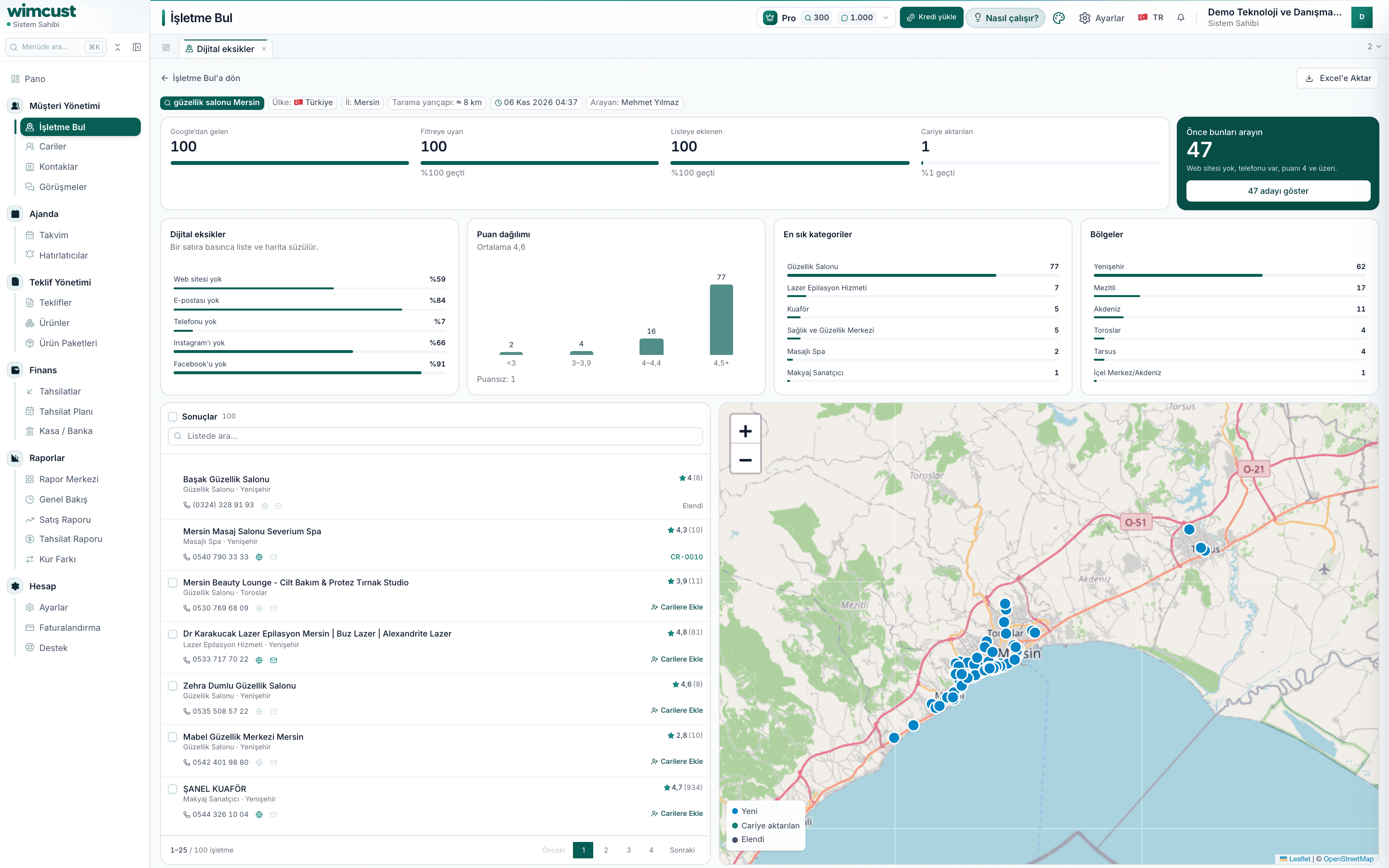
12 Ways to Find New B2B Customers
Ways to find new B2B customers: defining your ideal customer, map-based prospect lists, referrals, trade shows, content and follow-up discipline. 12 practical methods.
Read the article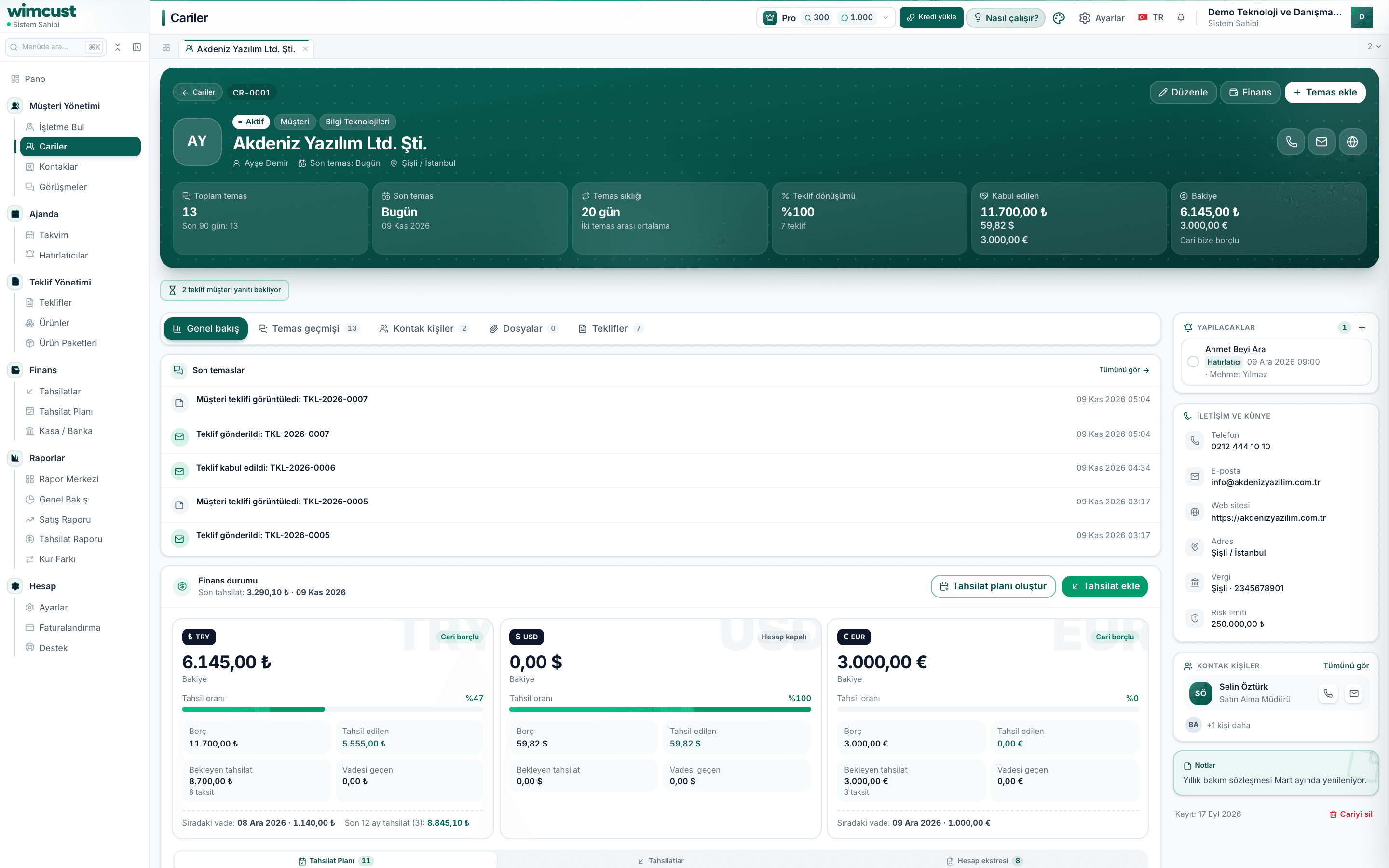
Winning Back Customers Who Have Gone Cold: A B2B Re-Engagement Guide
How to win back customers who have gone cold: spotting quiet accounts, last-contact tracking, re-engagement messages and habits that keep it from happening again.
Read the article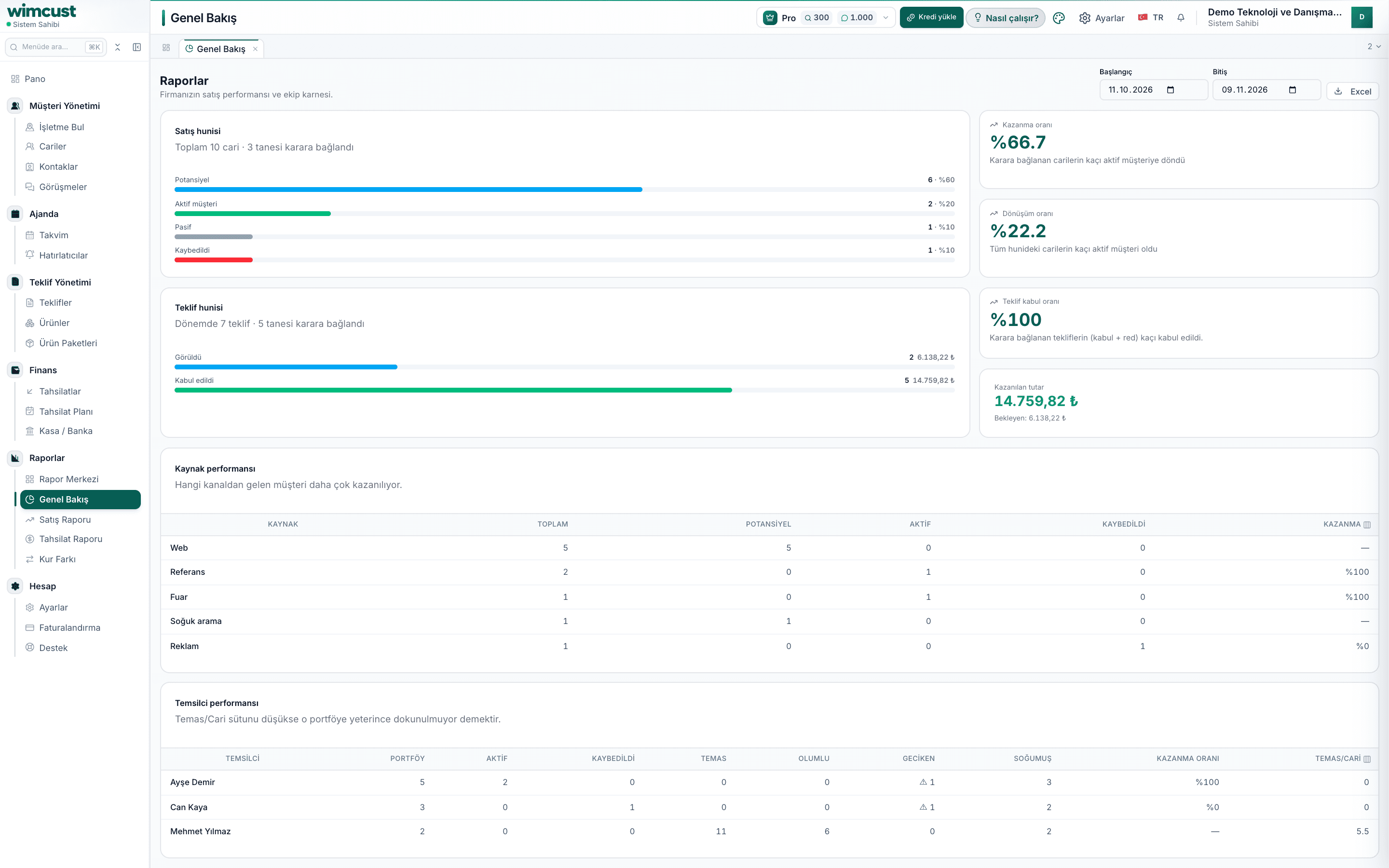
Sales Team Performance Tracking: Which Metrics to Watch
How to track sales team performance: activity, quote, conversion, revenue and collection metrics, the rep scorecard and fair measurement. A practical guide.
Read the articleSign up and find your first 60 prospects for free
Start today and find your first customer this week
The Starter plan is free forever. Open your account without a credit card and create your first customer card in minutes.