

What Is CRM? A Plain-English Guide for Small Businesses
What is CRM and what is it for? Customer relationship management explained in plain language for small businesses, plus the criteria to use when choosing CRM software.
WimCust Team 6 min read
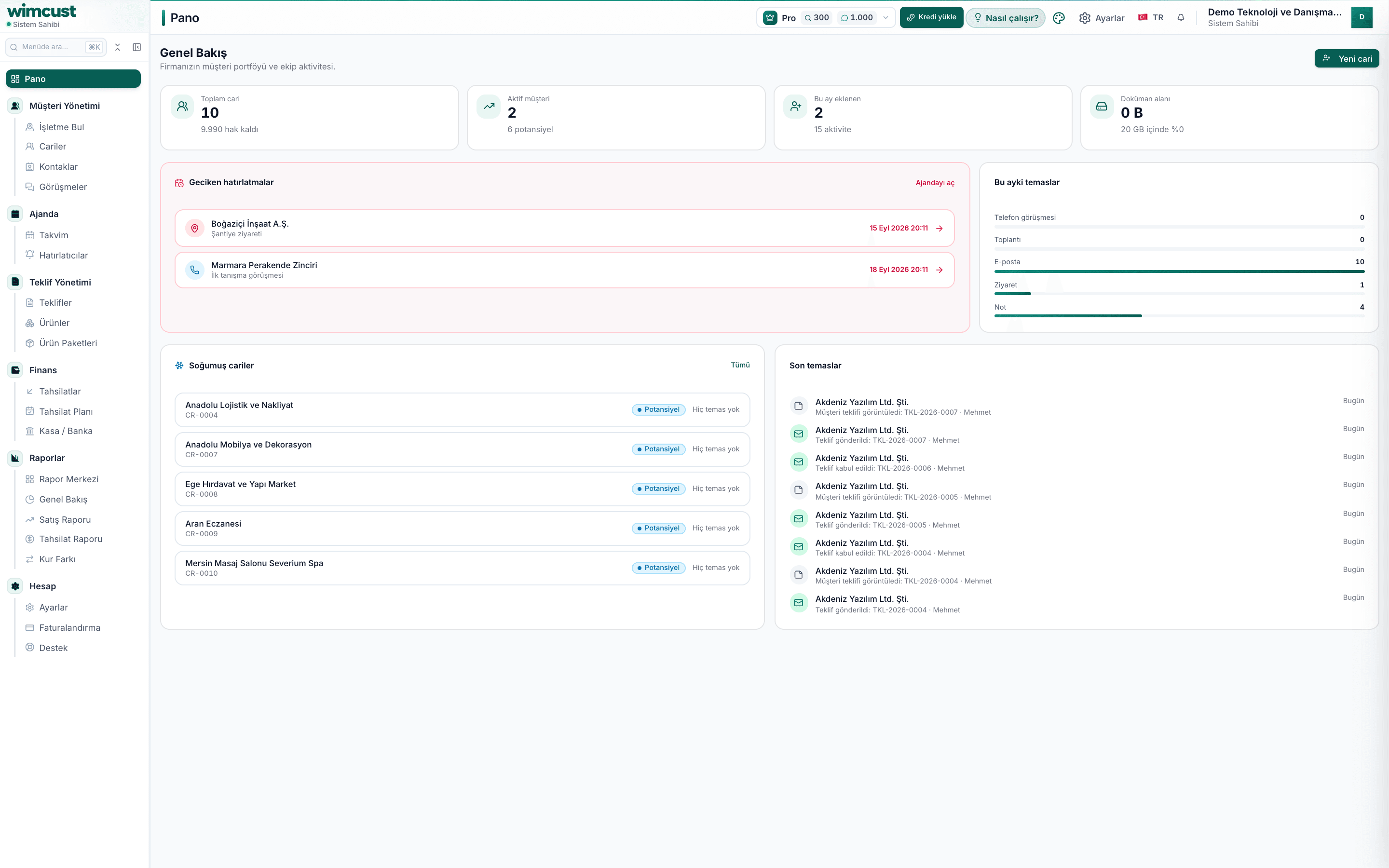
The short answer to what is CRM: CRM (Customer Relationship Management) is how a business records, tracks and improves its entire relationship with customers and prospects in one place. In everyday language, "CRM" usually means the software that does this job, the CRM system. In this article we explain the concept from a small business's point of view, without drowning it in jargon.
The problem CRM solves
A company's customer information is usually scattered: numbers in a phone's contacts, quotes in an email inbox, a customer list in a spreadsheet, a "call again Thursday" note in a notebook, outstanding balances in the accounting software. You can get by with this scatter when you have a handful of customers. As the team and the customer base grow, these questions start going unanswered:
- Who last spoke to this customer, and when?
- What happened to the quote we sent last month?
- Which customers have we not contacted for a long time?
- How much payment do we expect this month, and from whom?
- Who takes over the customers of a rep who has left?
CRM makes these questions answerable from a single screen.
What is in a CRM system?
Customer (account) record
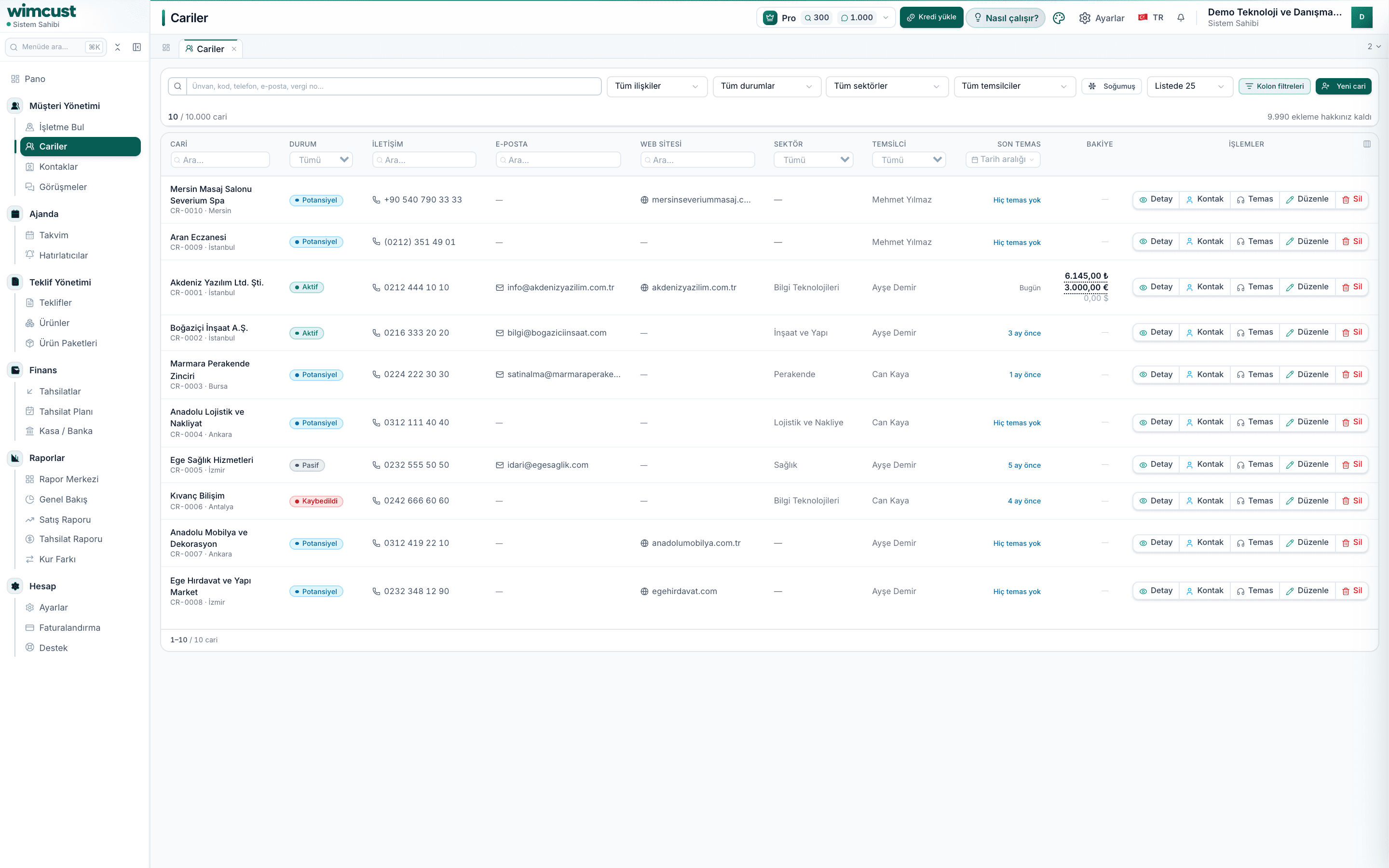
Each customer's company name, contact details, tax details, industry and responsible rep live on one record. The people at the company (the buyer, the accountant, the general manager) are linked to this record too. In some markets this record is called an "account" and in others simply a "customer card".
Conversation and activity log
Every phone call, meeting, visit and email is recorded on the customer's record. That way, whoever calls the customer knows about the earlier conversations beforehand.
Reminders and calendar
Follow-ups such as "get back in two weeks with the price list" are dated and you are reminded when the time comes. This is often the feature that earns a CRM the most money, because most sales close in the follow-up, not in the first contact.
Quotes
Many CRMs also include quoting. You pick items from the product catalog, prices and taxes are calculated, the quote is sent to the customer and its status (sent, opened, accepted, rejected) is tracked.
Reports
Questions such as how many new customers were won, what the quote conversion rate is, how many conversations each rep had and which source brought in the most customers show up as reports.
Team and permissions
Rules such as each rep seeing only their own customers, the manager seeing all of them, and financial information being open only to a limited group are defined in the CRM.
The difference between CRM and accounting software
The two are often confused. Accounting software records the past officially: invoices, ledgers, tax returns. CRM looks forward: who will I call, which quote is waiting, which customer is going cold. Some CRMs also track collections and customer statements, but that does not replace the official accounting record. The two systems complement each other.
Who needs a CRM?
The short answer: any company where more than one person talks to customers and the sale closes over more than one step. The difference is felt right away especially when:
- Your sales team is bigger than two people,
- You prepare quotes and wait for approval,
- Your customers make repeat purchases,
- You sell on credit terms and follow up on collections,
- You sell through field visits.
For someone working alone with few customers, a well-kept spreadsheet may be enough. As the team grows, the limits of the spreadsheet show; we cover this transition in the guide to moving from Excel to a CRM.
What to look for when choosing CRM software
- Does it fit your sales model? A marketing-driven setup and phone and field sales call for different features.
- Does it calculate your quote correctly? Items with mixed tax rates, discounts, withholding taxes where they apply and foreign exchange rates are common situations in quotes.
- Will your team use it? The best CRM is the one your team opens every day. An interface in your team's language, simple screens and mobile access make adoption easier.
- Can you move your data easily? Easy import from and export to Excel matters both at the start and, if necessary, on the way out.
- What is the cost model? Add up per-user fees, module fees, setup and training costs together.
To compare options, see our guide on choosing CRM software.
Three rules for getting value from a CRM
- The habit of recording: a CRM with no conversation records is an expensive address book. After every contact, two lines of notes and a next step are enough.
- Ownership: every customer should have an owner. A customer that belongs to everyone belongs to no one.
- A regular look: once a week, review overdue follow-ups and cooling customers as a team.
Types of CRM
CRM software roughly falls into three groups by focus. The split is not strict and most products include more than one, but which one stands out will influence your choice.
- Operational CRM: runs the day-to-day sales work: customer records, conversation logs, reminders, quotes and follow-up. This is the layer small businesses need most.
- Analytical CRM: draws conclusions from the collected data: conversion rates, source performance, rep comparisons, customer segments.
- Collaborative CRM: organizes communication within the team and with the customer: notifications, a shared calendar, email and messaging channels.
Cloud CRM and self-hosted CRM
Today most CRMs run in the cloud: you log in from a browser or a mobile app, server maintenance is the provider's job and updates arrive automatically. Self-hosted systems (running on your own servers) give more direct control over the data but also hand you the responsibility for maintenance, backups and security. For most small businesses a cloud CRM means a lower starting cost and less technical burden. When choosing, ask the provider where data is stored, what the backup policy is and what data export options exist.
The first 30 days after switching to a CRM
In the first week, import your existing customer list and invite the team. In the second week, make sure everyone records every conversation. In the third week, start preparing quotes through the CRM. In the fourth week, look at the first reports: how many conversations took place, how many quotes were sent, how many reminders were late? These first numbers will not be perfect; the goal is to draw a baseline.
A common objection: "My team won't enter records"
Most CRM projects fail not for technical reasons but because they are not used. The fix for this objection usually lies not in the system but in expectations. Make recording easy (few fields, mobile access), show what recording gives back (reminders, ready quotes, visible reports) and follow the rule yourself as a manager. When reps see that the information they record saves them time at the next conversation, the habit settles in by itself.
Another objection is "our business is different." Every company has its own particulars, but getting to know the customer, talking to them, sending a quote and following up on the result are shared steps of almost every B2B business. A CRM organizes these shared steps, and you reflect your differences through definitions and settings.
What kind of CRM is WimCust?
WimCust is a CRM built for small and mid-sized B2B sales teams, developed in Turkey. Customer tracking, conversation tracking, calendar and reminders, tax-aware quote management, customer approval through the PIN-protected e-Quote, collection tracking that follows from approval and customer finding on the map are all in one product. You can get started right away with the free Starter plan, which has no time limit.
- #what is CRM
- #customer relationship management
- #small business
Frequently asked questions
What does CRM stand for?
CRM stands for Customer Relationship Management. In everyday use it usually refers to the software that does this job.
Is CRM the same as ERP?
No. ERP focuses on resource planning such as production, inventory and accounting; CRM focuses on customer, sales and communication processes. Some products include features from both.
Should a small company use a CRM?
If more than one person talks to customers and you have quoting and follow-up processes, it helps even at a small scale. You can start with low risk on a free plan.
Read these too
Moving from Excel to a CRM: A Step-by-Step Guide Without Losing Data
How to move from Excel to a CRM: data cleaning, column mapping, deduplication, import preview, portfolio assignment and getting the team on board. A step-by-step guide.
Read the article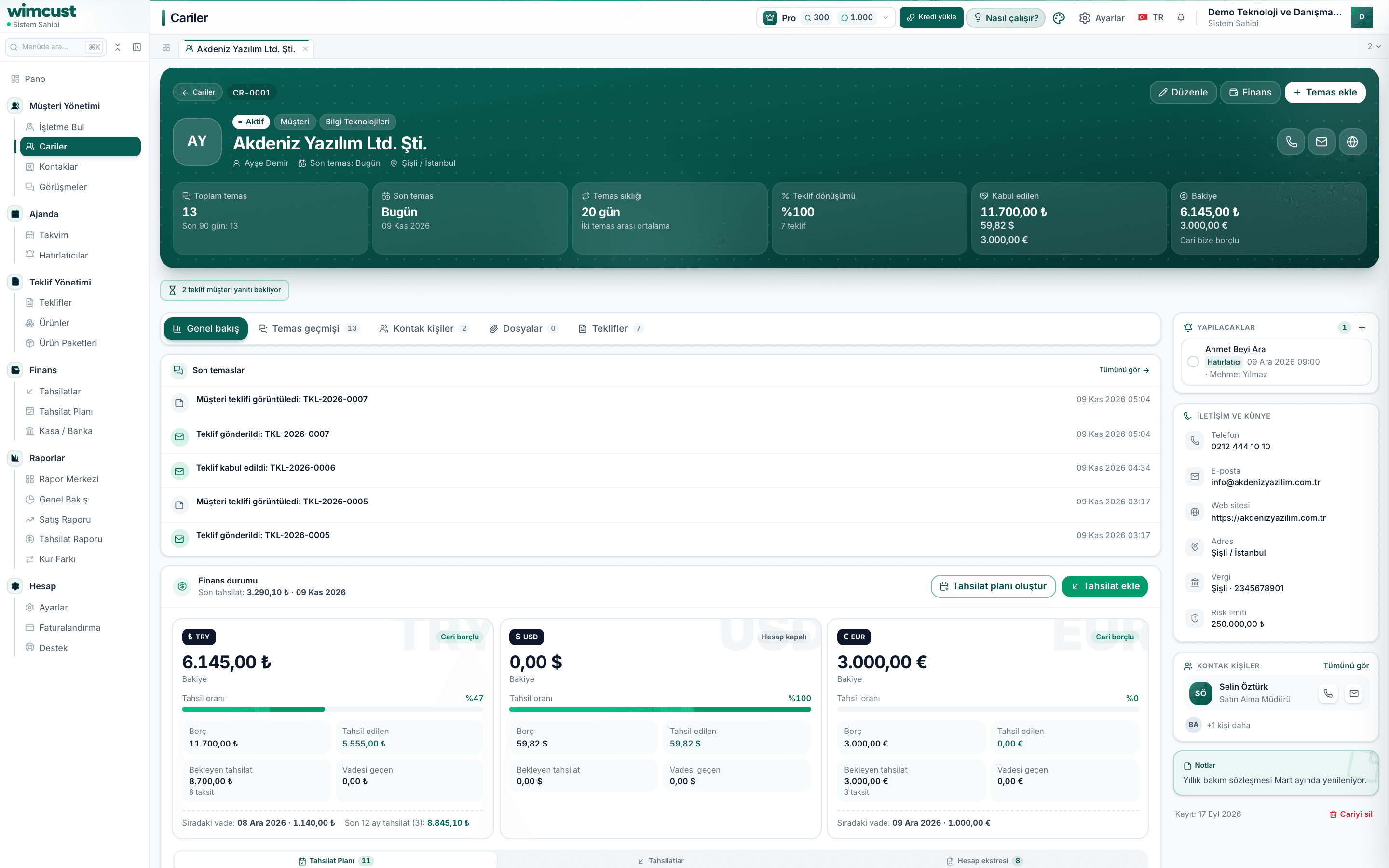
Winning Back Customers Who Have Gone Cold: A B2B Re-Engagement Guide
How to win back customers who have gone cold: spotting quiet accounts, last-contact tracking, re-engagement messages and habits that keep it from happening again.
Read the article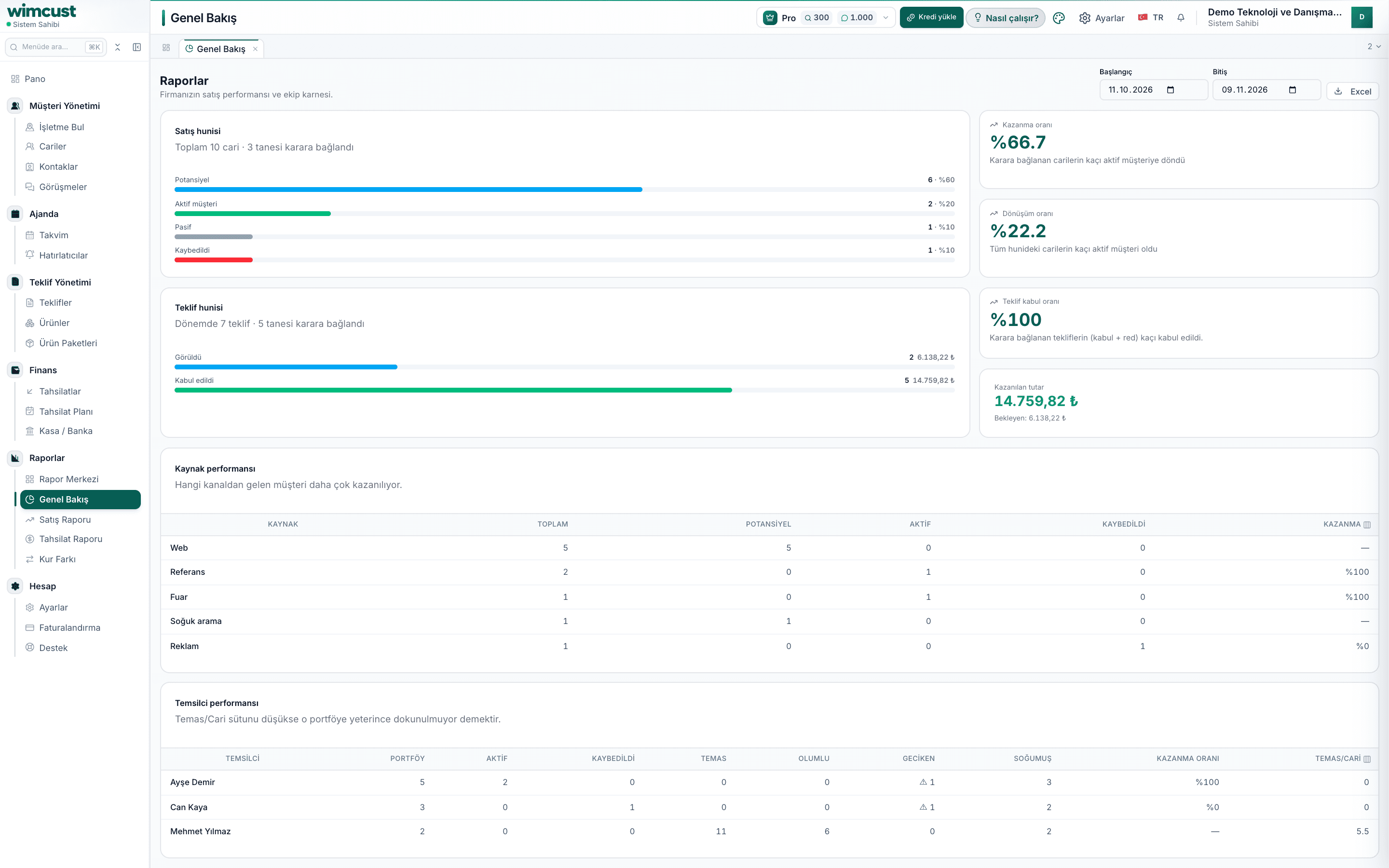
Sales Team Performance Tracking: Which Metrics to Watch
How to track sales team performance: activity, quote, conversion, revenue and collection metrics, the rep scorecard and fair measurement. A practical guide.
Read the articleSign up and find your first 60 prospects for free
Start today and find your first customer this week
The Starter plan is free forever. Open your account without a credit card and create your first customer card in minutes.